An image editor you can ask
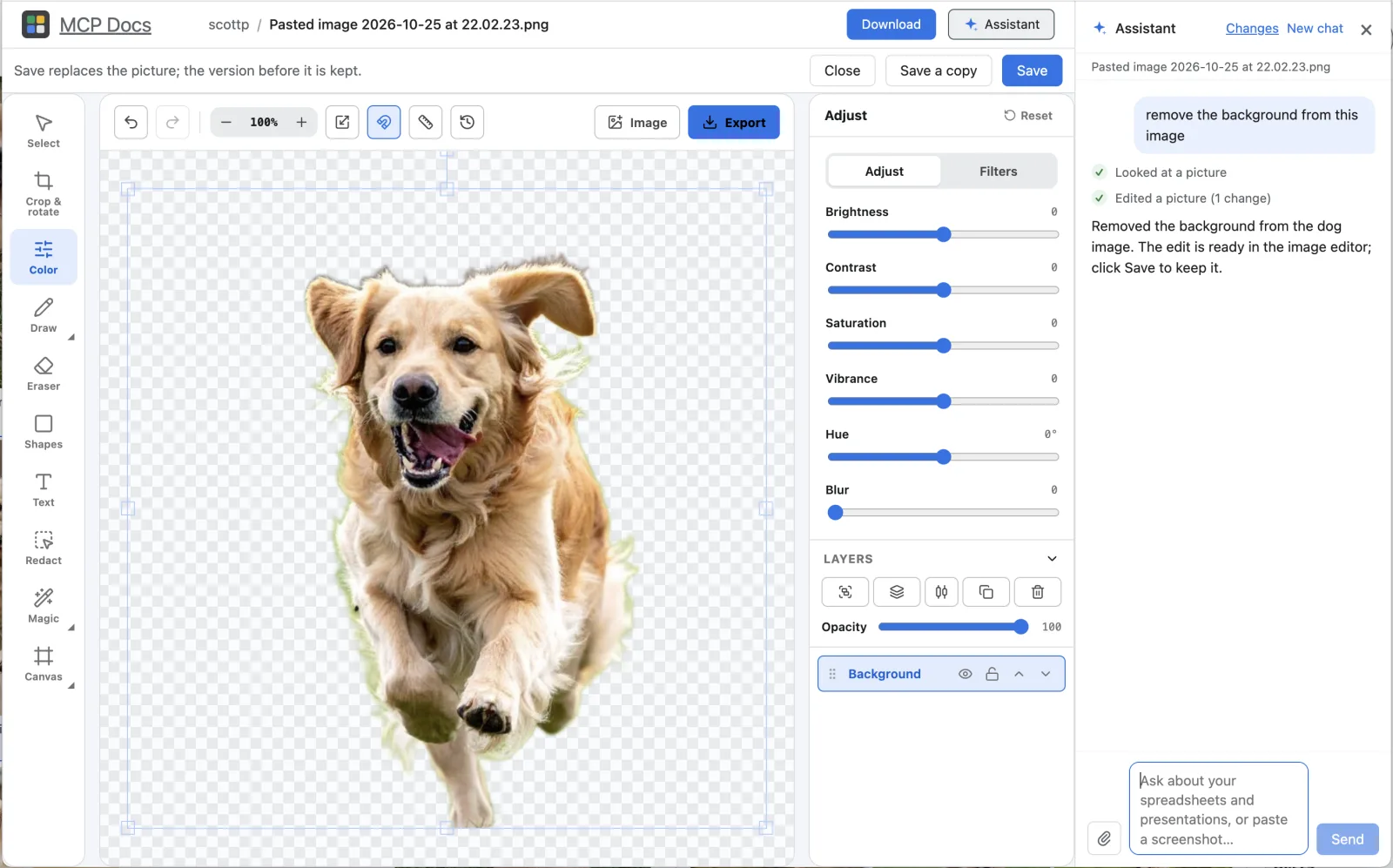
MCP Docs edits your pictures where they are: crop, straighten, adjust colors, draw, add text and stack pictures as layers. Or just say what you want, "remove the background" or "make it square and brighten it", and the assistant does it in the editor, where you can still adjust the result before you save.
What you can do
- Crop, rotate and resize. Crop freely or to a ratio, rotate, straighten a tilted photo, flip, and resize to an exact width.
- Adjust colors. Brightness, contrast, saturation, vibrance, hue and blur, plus grayscale, sepia, invert and sharpen.
- Draw, add text and shapes. Add text in any font and color, arrows, boxes and other shapes, and draw freehand.
- Layers. Put one picture on top of another, then move, resize and reorder the layers.
- Remove a background. In one step, in your own browser or app: the picture is not uploaded anywhere to do it.
- Redact. Black out a part of a picture, such as a name or a number, before you share it.
- Save or save a copy. Save over the picture, keeping the version before so you can go back, or save a new copy beside it.
Edit a picture with your agent
Ask the assistant beside the picture in plain words:
- "Remove the background and put the dog on the beach photo."
- "Crop to a square around the face and make it a bit brighter."
- "Blur out the license plate."
The assistant edits the picture in the open editor with the same tools you use, so you see the result and can change it before you save. It can also look at the picture to check its work. In the desktop app the same image tools are an MCP server on your machine, so Claude Code, Codex or another agent can edit your pictures too:
npx @freeflow-im/mcp-docs
Frequently asked questions
Which picture formats can it edit?
PNG, JPEG, WebP and GIF pictures. A picture inside a document or a presentation can be edited in place too.
Is my picture uploaded to remove its background?
No. Background removal runs on your own computer, in the app or in your browser.
Can it make or change a picture with an AI image model?
Yes. On request, the assistant can ask OpenAI's image model for an edited copy of a picture. The copy is a new file; the original is never changed.
Is it free?
Yes. MCP Docs is free and open source, for Macs with Apple silicon and 64-bit Windows, and in beta on the web.